













The Choicer Voicer

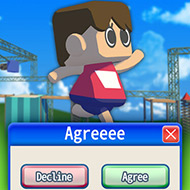

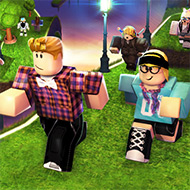


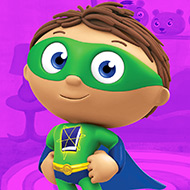


The Choicer Voicer looks like a lightweight party app on the surface, but the moment a friend group actually sits down with it, the game turns into something closer to a customizable broadcast studio built entirely around whoever is willing to make a fool of themselves into a microphone.
Customize Menu: The Real Engine Behind The Choicer Voicer
Almost nothing about a session of The Choicer Voicer is fixed by default. The Customize menu lets players swap the host, the judge panel’s personalities, and the studio’s visual theme independently of one another, which means two groups playing the same base install can end up with sessions that look nothing alike. That flexibility exists because the actual voice clips and prompts players react to are not bundled in heavily at launch — the base game ships closer to an empty frame than a stocked trivia deck, and content packs are what fill it in.
Building a content pack is intentionally low-friction: dropping audio files directly into a folder is enough to register them as usable clips, which is why a dedicated modding hub exists specifically around The Choicer Voicer, stocked with niche meme audio and obscure quote packs contributed by players rather than the developer. For a game this dependent on outside content, that hub functions less like an optional extra and more like the actual content library most sessions draw from.
Studio Formats: Local, Twitch, and Dub Mode
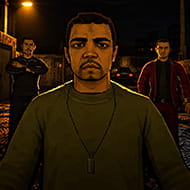
Three distinct formats sit inside The Choicer Voicer’s structure. The main game show studio supports one to four local players judged by computer-controlled panelists reacting to each vocal impression attempt. A separate Twitch-facing variant swaps those computer judges for the streamer’s own chat, reading typed commands and letting viewers weigh in on performances directly rather than watching passively. Dub Mode strips away the competitive judging entirely, instead letting a player record voiceover lines over a chosen scene purely for the performance itself rather than a score.
Most sessions run singleplayer against the computer judges by default, with the multiplayer local mode capped at four players — a number worth knowing going in if you’re planning a larger group session and expecting everyone to get a turn in the same round.
The Microphone Issue Nobody Can Fully Dodge
Because every mode in The Choicer Voicer hinges on live microphone input, the game’s most consistently reported problem is exactly that input failing to register at all, an issue serious enough in some cases to make a session unplayable outright. Community discussion repeatedly points toward surround-sound audio configurations tripping up how the underlying Godot Engine handles microphone devices, a known limitation of the engine itself rather than something unique to this specific project. Players trying to run sessions over Discord voice chat hit a related snag — the game happily picks up Discord audio as if it were a live mic, but it will not accept two separate microphone inputs for a single round, pushing some groups toward routing workarounds involving extra output devices and OBS-based audio monitoring just to get a multiplayer session working smoothly.
The developer has been upfront that the foundational code behind The Choicer Voicer is roughly two years old at this point, which context-frames some of these lingering audio quirks as inherited technical debt rather than neglect, and the game remains labeled early access alpha while those issues get worked through.
Frequently Asked Questions
How does content actually get added to The Choicer Voicer?
Players build content packs by dropping audio files into a designated folder, and a community modding hub exists specifically to share finished packs built around memes, quotes, and niche audio clips.
Can Twitch chat participate directly in a session?
Yes — the Twitch-facing variant reads commands typed by chat members, and certain content pack types allow viewers to vocalize inside the show alongside the streamer rather than only voting.
Why might my microphone not record during a session?
This is a frequently reported issue, often linked to surround-sound audio setups conflicting with how the Godot Engine handles microphone input; checking your output device routing is usually the first troubleshooting step.
For a game built almost entirely around content nobody else supplies for you, The Choicer Voicer rewards the groups willing to dig through its modding hub and build their own Dub Mode scenes far more than it rewards anyone expecting a finished library on day one.