













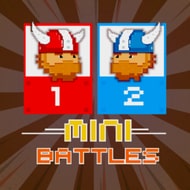
12 Mini Battles




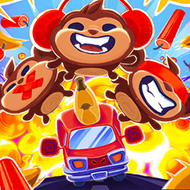
One button per player is the entire control scheme in 12 Mini Battles, and that single constraint is what makes twelve completely different minigames feel like variations on the same idea instead of an unrelated pile of party-game filler.
How the Single-Button Format Shapes Every Round
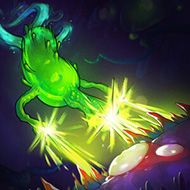
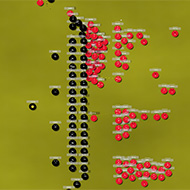
Each of the twelve minigames packed into 12 Mini Battles is played with exactly one key per player — traditionally A for one side and L for the other — which levels every matchup regardless of which specific mode gets selected for a given round. That constraint forces every minigame’s design to hinge entirely on timing rather than any combination of inputs, whether the round has two players racing to eat more flies as competing frogs, trading volleys in a compressed mini tennis match, or working a lifeboat to rescue castaways faster than the opponent’s boat can manage. Rounds cycle through the full roster somewhat unpredictably, so a session of 12 Mini Battles rarely settles into a single repeated pattern the way games built around one core minigame tend to.
Local Two-Player Design at Its Core
12 Mini Battles is built specifically for two people sharing a single keyboard rather than online matchmaking, which places it firmly in the same tradition as older single-device party games where proximity and quick reflexes matter more than internet connection quality. That local-only design also means the pressure of each round comes from watching your opponent’s hand on the same keyboard rather than an abstracted score on a leaderboard — a structural choice that changes how competitive the game feels compared to titles built around asynchronous high scores.
A sequel, 12 Mini Battles 2, later expanded the format with a fresh set of twelve minigames including basketball, street racing, duck shooting, and foosball, but the original’s frog-eating, tennis, and lifeboat rescue rounds remain the reference point most players associate with the format’s earliest and most stripped-down version.
Single-button design — every one of the twelve minigames in 12 Mini Battles uses exactly one key per player, meaning the entire skill ceiling comes down to timing and reaction speed rather than any deeper control complexity.
Since 12 Mini Battles never asks for more than one key per player across any of its twelve rounds, sessions tend to run fast — a quick round of frog-eating flies can flip immediately into a tense mini tennis exchange, and neither format requires relearning controls between them. That rapid mode-switching is arguably the actual replay hook rather than any individual minigame standing out on its own; it’s the unpredictability of which of the twelve challenges comes up next, combined with the shared-keyboard tension of watching an opponent’s fingers hover over their own single key, that keeps a two-player session going round after round in 12 Mini Battles longer than any single format probably would on its own.
Why the Format Holds Up Against Busier Party Games
Plenty of two-player party games lean on multi-key combinations or context-sensitive controls that take a round or two to explain before anyone can actually compete. 12 Mini Battles skips that entirely — because every one of the twelve minigames shares the exact same one-key-per-player rule, a new player can watch a single round and immediately understand enough to play the next one competitively, regardless of whether that next round happens to be the frog-eating contest or the lifeboat rescue. That immediacy is less about depth and more about removing friction between rounds, which matters specifically in a local two-player format where the whole point is passing a laptop back and forth or leaning over the same keyboard rather than each player managing their own separate control scheme.