


















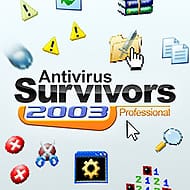
Antivirus Survivors 2003 Professional










Double-clicking is a combat skill in Antivirus Survivors 2003 Professional. Your weapons fire on their own, so the old habit of opening folders and files becomes the way you find XP and keys while viruses, adware foes and spam pop-ups close in. The family computer is infected again, and a full run through it lasts roughly 30 to 40 minutes.
| Genre | Survivor-like auto-shooter with roguelite progression |
| Platforms | Windows, macOS, SteamOS and Linux |
| Players | Single-player |
| Run length | Roughly 30 to 40 minutes |
| Difficulty | 5 protocol folders |
| Arsenal | 24 weapons and 50 Drivers |
Why Double-Clicking Matters in Antivirus Survivors 2003 Professional
The loop starts with a simple split of attention. Weapons shoot automatically, which frees the mouse for two jobs: staying alive and clicking things. Folders hide XP and keys, files pay out rewards when you open them, and every double-click pulls you away from the spot where the last wave of viruses was thinning out. The game is basically a negotiation between greed and safety, played on an old-fashioned desktop.
Newcomers usually get this wrong by treating it as a pure dodging game. They circle the edge of the screen, avoid folders, and reach the first spike in difficulty with almost no XP or keys. Early in a run, the right instinct is to open things while the screen is still quiet, then retreat once spam pop-ups and voids start crowding the space you need.
The rhythm of a typical run breaks down into four repeating steps. Each one competes with the others for your attention:
- Move and dodge while your weapon fires by itself.
- Double-click folders and files to collect XP and keys.
- Spend XP on upgrades and install plugins by opening keygens.
- Survive until a boss or mini boss appears, then push through it.
That cycle repeats for the whole 30 to 40 minutes, and the tension comes from how badly each step wants you to be somewhere else on the screen.
Weapons Pulled Straight from the Desktop Era
The roster holds 24 weapons, and the names alone show where the inspiration came from. Pinball, Solitaire, Mines and Firewall are all ordinary corners of a 2000s desktop turned into ways of clearing a screen. Because everything fires automatically, the real choice is what kind of pattern you want to stand inside while the mouse does the work.
Bullet heaven veterans will recognise the pacing quickly: a shaky start, a few upgrades that suddenly click, then a screen that fills with projectiles and enemies at once. Where this one differs is the setting. A stray pop-up or a void reads like a familiar computer annoyance made hostile, and that changes how you scan the screen compared with a fantasy horde.
The best habit is to commit to one weapon early and let upgrades pull the run in that direction. Hopping between many weapons dilutes your gains, and with 18 player stats to raise, damage, speed and luck among them, a focused build usually scales better than a scattered one, as in most survivor-likes.
Drivers, Plugins and the Art of Breaking a Build
Drivers are where a run stops feeling generic. There are 50 of them, and each one transforms how a weapon usually works with a bespoke upgrade. The same Pinball or Firewall can behave very differently depending on which Driver sits under it, so it pays to read what a Driver actually changes before you grab it.
Plugins add a second layer on top. The game has 62 of them, and you install them by opening keygens, which is a nice period joke: the thing your parents warned you about on the family computer is now a power-up. Plugins greatly modify weapons and player stats, so a single lucky keygen can redirect a whole run.
Many players miss the advanced trick of stacking around one stat. Pick a weapon, choose a Driver that leans on the same stat, then treat each plugin as a multiplier rather than a random bonus. Runs that snowball almost always look like this in hindsight, with every choice feeding the same idea.
Protocol Folders and Climbing the Difficulty Ladder
Difficulty is organised as five protocol folders, each with escalating risks and rewards. Moving up a folder makes the screen more dangerous, but it also pays out better, so pushing is a calculated bet rather than a simple wall. Players who clear one folder comfortably usually want the next one immediately.
Bosses punctuate every run. The game includes six bosses and mini bosses, all supercharged versions of the threats you have been dodging, and they test whether your build covers the screen or only one corner of it. By the time a boss appears, the choices you made in the first ten minutes decide how the fight goes.
Policies raise the stakes further. There are 15 of them, each a unique challenge that changes how a run plays, and the Steam tags include score attack, so chasing a bigger result run after run is clearly part of the pitch. Policies are where experienced players stop surviving and start optimising.
Tasks, Wallpapers and Everything After the First Clear
Meta progression keeps a run from ending at zero. There are 18 meta upgrades, and the wording on the page tells you to choose wisely, because they shape your path from run to run. On top of that sit more than 200 Tasks that unlock new Files, Weapons and Plugins, which gives achievement hunters a long list of small goals to work through.
The cosmetic side is surprisingly deep. You can unlock 81 wallpapers and 8 themes to customise the desktop, and 33 File Types, including LemWire, BigWave and Defrag, reward you when you double-click them. Learning which files are worth the detour is part of the mid-game, and it gives even a short run a small sense of discovery.
There is an honest catch. The Y2K jokes carry much of the charm, and if you never sat in front of an early-2000s machine, some of the references will read as decoration. Survivor-likes are also a crowded genre, so anyone tired of the formula will need the desktop theme to do a lot of work. Players who grew up with that era will get the most out of it.
Questions About Antivirus Survivors 2003 Professional That Players Search For
- How long does a single run take? A run lasts roughly 30 to 40 minutes. In that time you dodge voids, open files for XP and keys, and face bosses, then carry meta upgrades into the next attempt, which makes it easy to fit into a short session.
- What is the difference between Drivers and plugins? Drivers are bespoke upgrades that transform how a weapon like Pinball or Firewall usually works. Plugins are installed by opening keygens and modify weapons and player stats such as damage, speed and luck, so Drivers change the weapon and plugins push the numbers.
- What are Policies and how do they change a run? Policies are 15 unique challenges that make you experience the game in more difficult and interesting ways. They work well alongside the five protocol folders and the more than 200 Tasks, which unlock extra Files, Weapons and Plugins as you complete them.
Antivirus Survivors 2003 Professional works best when you treat each run as a messy desktop to clean in 30 to 40 minutes. A Pinball loadout, a well-chosen Driver and a few files worth opening will carry you through the protocol folders, and the keygens are where a run turns from ordinary into something dangerous. Bring patience for the Policies, and the family computer might just survive.