








Dub Together



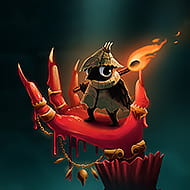
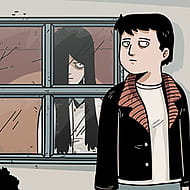

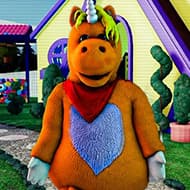

You load into a lobby with five friends, mic levels checked, and the clip starts rolling with the original dialogue stripped out. In Dub Together the picture keeps moving and you get only the length of the scene itself to decide how your line should land, because nobody else in the room can hear your take until every version is finished and the curtain goes up at once.
| Genre | Casual, Party |
| Players | Up to six, local or online |
| Modes | Parallel Mode and Character Mode |
| Voice Effects | Five, including Chipmunk and Monster |
Recording a Scene in Dub Together
Every round starts the same way: the clip plays without its original voices, your lines appear on screen timed to the mouth movements, and you speak them into your microphone while the picture keeps rolling. There is no pause button once the round timer starts, so hesitation reads as a bad cut the same way it would on a real set. A built-in noise filter cleans up the gaps between sentences, which matters more than it sounds like it should, because half the lobby is usually playing through a laptop mic that picks up every keyboard click. If you are unhappy with a take you simply record it again, as many times as the clock allows, and only your last attempt before time runs out gets saved.
This is the part newer groups get wrong most often: they treat the first read as the only read.
Parallel Mode versus Character Mode
Parallel Mode hands everyone the exact same clip and the exact same lines, so the fun comes from six wildly different interpretations of one scene getting watched back to back and voted on afterward. Character Mode works the opposite way: every role in the clip gets assigned to one performer, roles nobody claims keep their original voice, and the group works through the dialogue together so the finished dub is a single shared take instead of six separate ones. There is no vote at the end of a Character Mode round, because there is only one result to judge.
Groups who play Dub Together mostly for streaming clips tend to gravitate toward Parallel Mode, since the side-by-side comparison is what actually gets shared afterward. Friend groups who just want a running joke to build on usually prefer Character Mode instead, since the shared take sticks around as one finished bit rather than six competing ones.
Neither mode locks you out of the other, and most lobbies swap between them every few rounds once the novelty of one wears thin.
Voice Effects and the Noise Filter
Before you record a line you can attach one of five voice effects to it: Chipmunk, Monster, Echo, Robot, or Phone, each applied directly to your recording rather than layered on afterward. That distinction matters because whatever effect you pick is locked into the file everyone eventually watches back, so there is no undoing a Monster-voiced declaration of love after the fact. Chipmunk gets the most mileage in Parallel Mode purely because high-pitched delivery tends to win the comedy vote, while Echo and Phone show up more in Character Mode scenes that are supposed to feel like a call or a flashback.
The effects are a small list by design, and some players in the community wish there were more variety by now, which is a fair complaint given how quickly six rounds of Chipmunk jokes can wear thin in one sitting.
Building Your Own Dub Packs
The Pack Creator lets you turn your own footage into a playable round instead of relying only on the clips that ship with the game. You drop a video in, trim it to the section you want, and the tool automatically detects the spoken parts and writes matching text for each line. Speech, music, and background noise get separated from one another during this process, so the atmosphere of the original scene stays intact even after every voice has been replaced. Once the lines are split up you assign a character to each one, export the finished pack, and it is immediately playable in your next lobby.
This is where the hobbyist crowd really lives: players who treat the editor less like a party add-on and more like a lightweight video tool, building packs out of movie trailers, old cartoons, or footage they shot themselves.
Sharing Packs Through the Workshop
Finished packs upload to the Steam Workshop with one click, and subscribing to someone else’s pack adds it to your library immediately without needing to restart the game. If a player joins your lobby without a pack you already have installed, their copy of Dub Together quietly pulls it in the moment the round starts, so nobody has to pass files around manually. One pack ships with the base game by default: a trimmed excerpt from the short film Sprite Fright, included under its original open license.
By the time a Workshop regular has subscribed to a dozen packs, their rotation looks nothing like a first-time player’s, which is part of why returning lobbies rarely play the same clip twice in a session.
Twitch Voting in Dub Together
Streamers can connect a Twitch channel so chat gets a say in who wins each round, typing !vote or a simple number to back their favorite performance alongside whatever the players in the lobby decide. Streamer mode also hides the lobby code from the broadcast itself, which stops random viewers from trying to join a private session mid-stream. This feature turns a six-player party game into something closer to a small show, where chat reaction becomes part of the round’s comedic timing rather than an afterthought.
It is worth saying plainly that watching all six takes back to back can run long once a lobby is full, and larger groups sometimes find the review phase drags compared to the recording itself.
Can you use your own video clips in Dub Together?
Yes, through the Pack Creator. You supply the footage, the tool detects spoken sections automatically and writes out matching lines, and you assign characters before exporting the finished pack for your next round.
How many players can join one Dub Together lobby?
Up to six people can record in a single lobby, though Character Mode works fine with as few as two since unclaimed roles simply keep their original voice.
Does Dub Together support Twitch chat during rounds?
Yes. Connecting a Twitch channel lets viewers vote with !vote or a number alongside the lobby’s own vote, and streamer mode can hide the room code so the session stays private.
Dub Together rewards the kind of group that is willing to sound ridiculous on purpose, and the gap between a flat first read and a committed Chipmunk take is usually where the best rounds come from. Whether your lobby sticks to Parallel Mode for the comparison or settles into Character Mode for one shared bit, the game keeps working because the clips, not the players, do the heavy lifting.